Add / Remove Observations
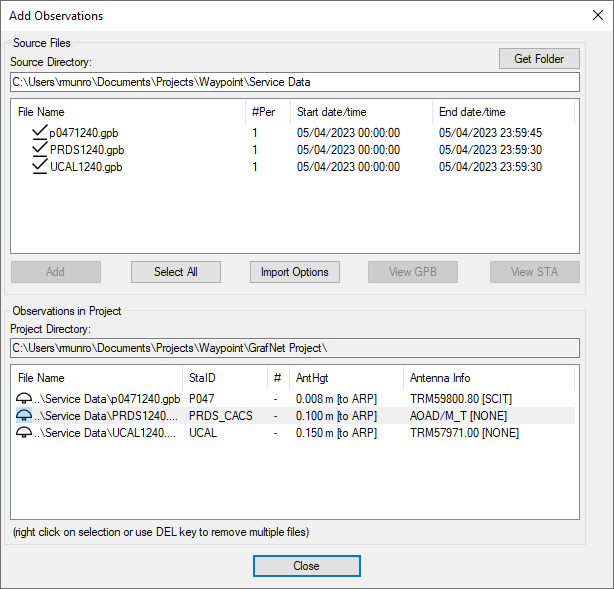
This feature adds observation files to GrafNet projects. These files must be converted to GPB files using Tools | Convert Raw GNSS to GPB.
If the GPB file was converted from RINEX, the station name, antenna height and antenna profile may be loaded automatically when adding stations. Verify this information is imported correctly for each loaded station.
Import Options
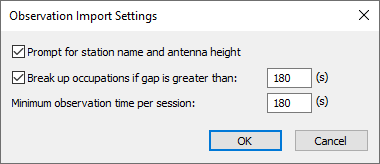
Clicking the Import Options button provides access to the following options:
Prompt for station name and antenna height
This option is on automatically as it is good practice to ensure the station name, antenna height and antenna model are correctly loaded into the project for each station. If however you are confident the data will be loaded correctly automatically and you are loading a large number of observations, consider disabling this option.
Break up occupations if gap is greater than: 180 (s)
If a GPB file contains a data gap larger than this adjustable threshold, GrafNet will treat the data before and after the gap as separate sessions. The default value is 180 seconds. If more than one session is detected in your data and you are confident the station did not move, deselect this option when importing data.
Minimum observation time per session:
GrafNet will not form sessions between stations that contain less than this adjustable threshold. The default value is 180 seconds. This is a good way of filtering out short and unintentional baselines from being included in your project.