Authorization Management
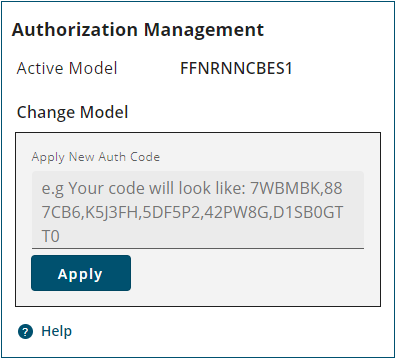
All of the models available for the receiver are shown on the Authorization Management tile. The model currently being used by the receiver is shown in the Active Model field. The other models available to the receiver are shown below the Apply button.
To add an Auth Code:
-
Obtain the new Auth Code from NovAtel Sales or your local NovAtel dealer.
-
Enter the new Auth Code in the Change model box.
-
Click the Apply button to save the changes to the receiver.
The receiver will restart when a new Auth Code is applied.
To change the model being used by the receiver to another available model:
-
Click the Activate button beside the model to enable on the receiver.
The receiver will restart when the model is changed. After the restart, the Active Model field changes to show the new active model and the Model Information tile changes to show the new functionality enabled on the receiver.