Positioning configuration
Use the Positioning tab to change the positioning method the receiver uses to calculate a position. This tab is also used to set whether the receiver sends or receives corrections.
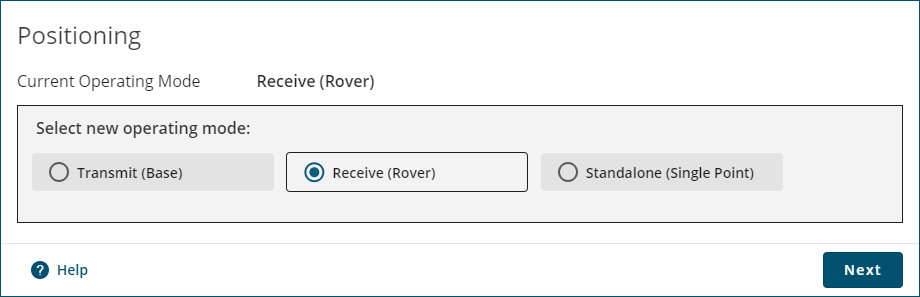
The Current Operating Mode displays the current receiver configuration.
To change the positioning mode, click one of the three buttons to select a new operating mode and then click the Next button.
-
Click this button to configure the receiver as a base station receiver. A base station receiver generates differential corrections and sends that data to rover receivers.
-
Click this button to configure the receiver as a rover receiver. A rover receiver uses correction data received from either a base station receiver, an SBAS system or TerraStar to calculate a more accurate position.
-
Click this button to configure the receiver to calculate a position using observed measurements only. No correction data will be used to improve position accuracy. This is the default mode for a receiver.